- 新春6折: Odoo19全面升级已完成,微信小程序支付全场6折。
- 即时下载:购买后从我的 应用中心下载
- 服务支持:购买后15天内邮件 安装指导
- 授权许可:购买即代表同意 用户协议
- 售后承诺: odooApp.cn 的模块与主题均保证功能与您下载时所见描述一致,如有异议可在下单后15天内申请免费退款
- 更多支持:务必参考 FAQ常见问题与答疑

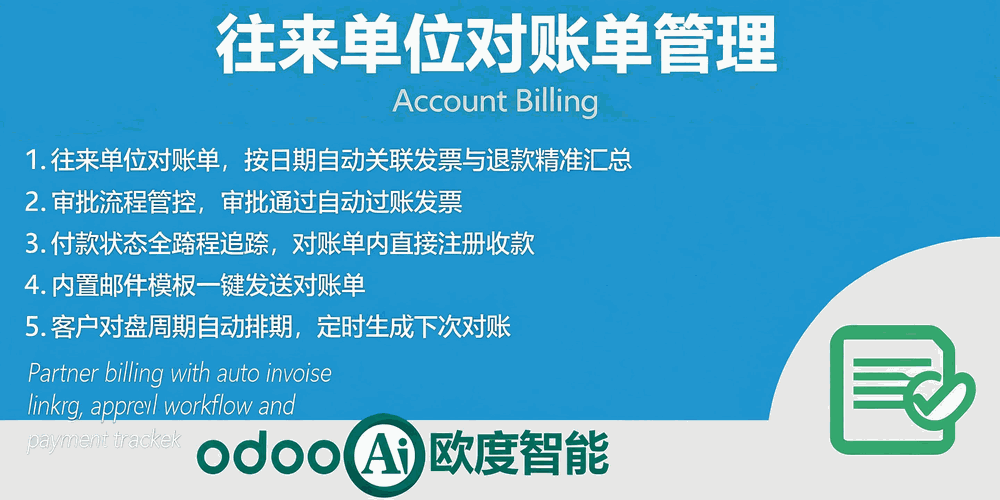
Account Billing.往来单位对账单管理

往来单位对账单管理 / Account Billing
Partner Billing Statement Management for Odoo
为 Odoo 提供往来单位对账单管理,按日期自动关联发票退款,审批流程管控,付款注册与邮件发送
Manage partner billing statements with auto invoice linking, approval workflow and payment tracking
功能概述 / Overview
在 Odoo 中为往来单位(客户/供应商)创建对账单,按日期范围自动关联应收应付发票与退款,精准汇总对账金额。支持 Draft→Approved→Done 审批流程,内置付款注册、邮件发送与对账报告打印。
Create billing statements for partners (customers/vendors) in Odoo. Auto-link invoices and refunds by date range with accurate amount summarization. Support Draft→Approved→Done approval workflow, payment registration, email sending and billing report printing.
核心亮点 / Key Highlights
对账精准、流程规范、一站完成 / Accurate, Standardized, All-in-One
1. 对账单管理
Billing Statement
Customer Invoice & Vendor Bill
为往来单位创建对账单,支持客户发票和供应商账单两种类型,应收应付一目了然
2. 自动关联发票
Auto Invoice Linking
By Date Range & Partner
按日期范围和往来单位自动关联发票与退款单,精准汇总对账金额,无需手工匹配
3. 审批流程管控
Approval Workflow
Draft → Approved → Done
对账单审批全流程管控,审批时自动过账发票,完成时校验全部付款
4. 付款注册与邮件
Payment & Email
Register Payment, Send by Email
内置付款注册和对账单邮件发送,对账收款一站完成,自动关联付款状态
5. 对账周期设定
Billing Period Schedule
Monthly, Bi-monthly, Quarterly
为客户设定对账周期,自动计算下次对账日期,支持月度/双月/季度灵活设定
6. 对账报告打印
Billing Report & Print
PDF Report Template
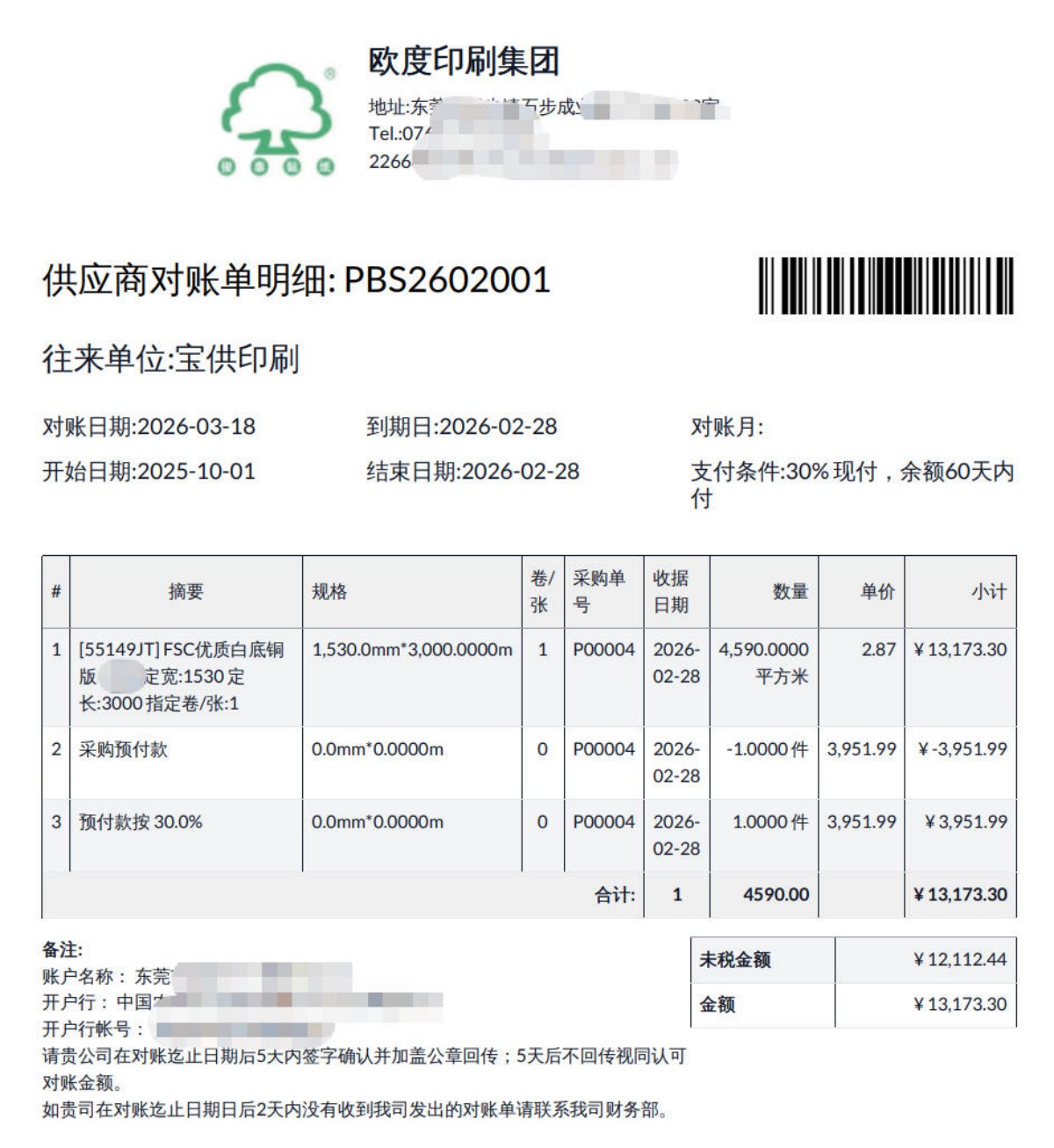
内置对账单报告模板,支持 PDF 打印输出,含发票明细汇总与付款信息
界面截图 / Screenshots
核心功能界面一览
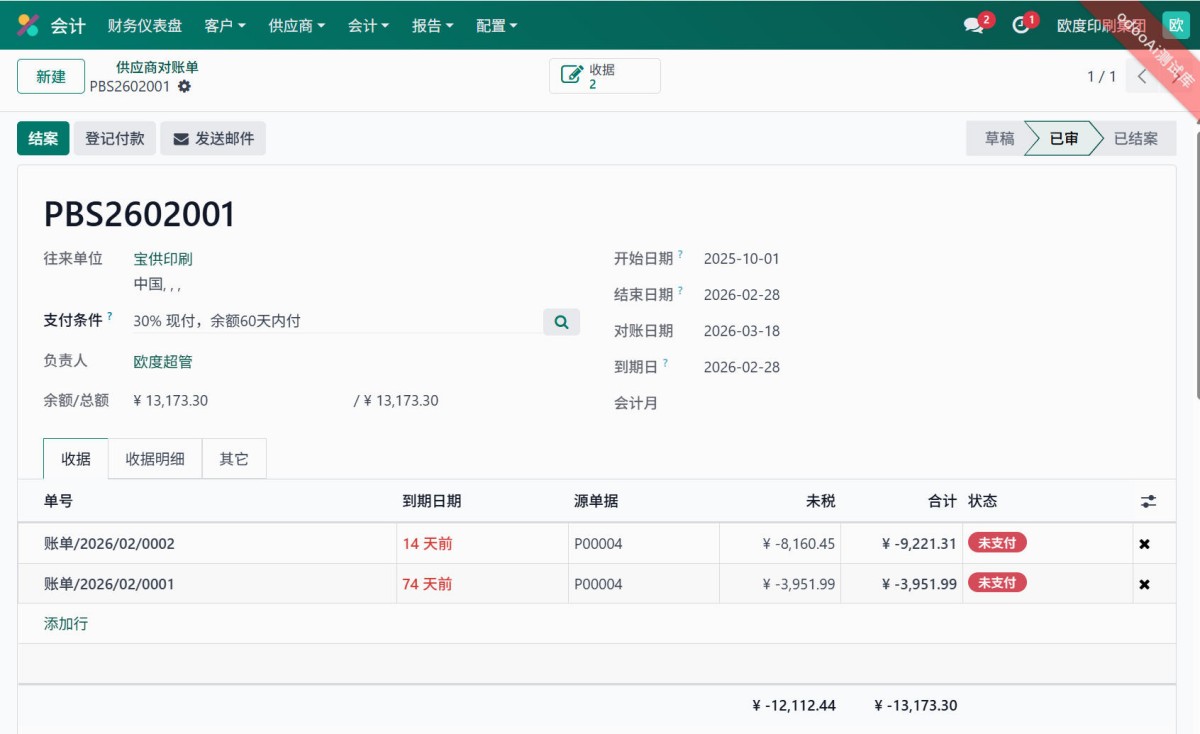
对账单列表与表单 / Billing List & Form
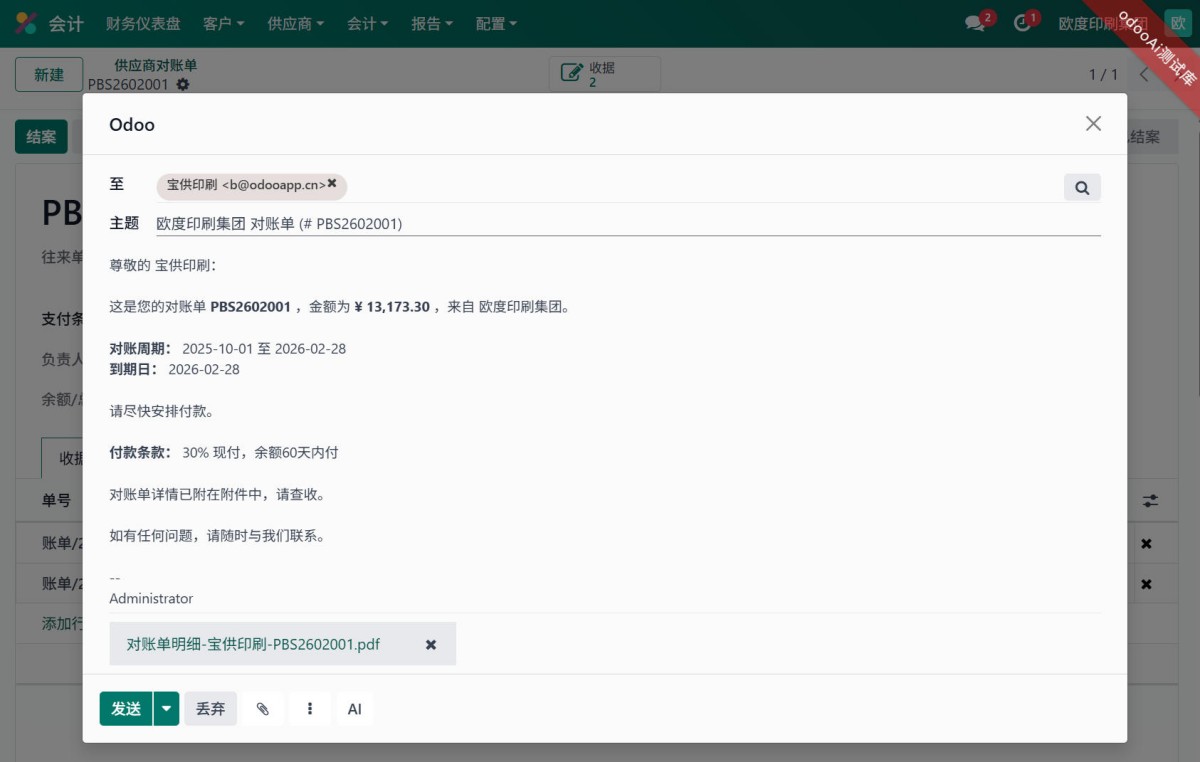
生成与发送对账单 / Mail Partner Billing
打印对账单明细 / Print Billing Details
使用方法 / How to Use
创建对账单
Create Billing
关联发票
Auto Link Invoices
审批对账
Approve & Confirm
注册付款
Register Payment
对账单操作流程 / Billing Workflow
1. 创建对账单:选择往来单位、日期范围、账单类型
2. 自动关联:点击"添加关联发票",系统自动匹配日期范围内的发票和退款
3. 审核:确认对账金额无误后,提交审批(自动过账关联发票)
4. 付款:使用"注册付款"按钮完成收款
5. 完成:所有发票付款完成后,对账单标记为 Done
对账周期设定 / Billing Period Setup
在往来单位(Partner)表单中设置:
- Billing Period: 每月/每2月/每3月/手动
- Billing Days: 每月第几天对账
- 系统自动计算 Next Billing Date
功能详解 / Feature Details
金额自动汇总
Auto Amount Calculation
自动计算发票金额、税额、退款金额,汇总对账总额与未付金额
付款状态追踪
Payment Status Tracking
实时追踪每张对账单的付款状态:未付/部分付款/已付
邮件通知
Email Notification
内置邮件模板,一键发送对账单给往来单位,含附件
通用特性 / General Features
多语言与多公司
Multi-Language & Multi-Company
完整的多语言翻译支持,适配全球化企业部署。原生多公司架构,数据严格隔离。
全版本兼容
Full Version Support
支持 Odoo 18, 17, 16, 15, 14,企业版、社区版及在线 SaaS.sh 版全版本兼容。
依赖模块
Dependencies
app_account_pro, app_account_period, app_mixin_state_workflow
odooai.cn
专业Odoo服务伙伴-开发实施咨询培训全套解决方案 / Professional Odoo Solutions
Specifications
| 版本 | 18.0 |