- 新春6折: Odoo19全面升级已完成,微信小程序支付全场6折。
- 即时下载:购买后从我的 应用中心下载
- 服务支持:购买后15天内邮件 安装指导
- 授权许可:购买即代表同意 用户协议
- 售后承诺: odooApp.cn 的模块与主题均保证功能与您下载时所见描述一致,如有异议可在下单后15天内申请免费退款
- 更多支持:务必参考 FAQ常见问题与答疑

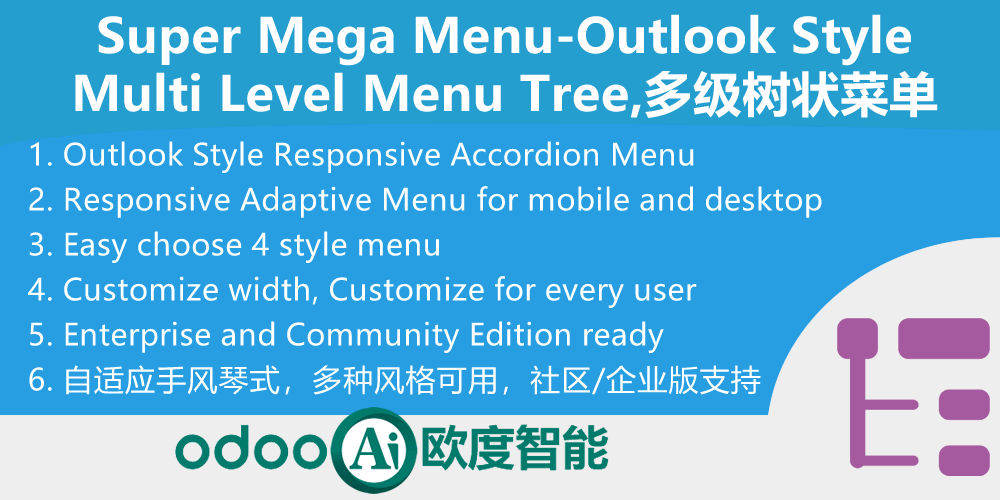
Outlook手风琴响应式多级边栏菜单 + 全局搜索,Outlook Mega Menu,Sidebar Menu Responsive + Global Search

Outlook手风琴响应式多级边栏菜单 / Sidebar Menu Responsive
Odoo响应式侧边栏导航,4种显示模式随心切换 / Responsive Sidebar with 4 Display Modes
在Odoo主界面添加响应式侧边栏,列出所有已安装应用,支持大/小/Outlook手风琴/隐藏四种模式。
Adds a responsive sidebar to the Odoo main screen with Large, Small, Outlook accordion, and Invisible modes for easy navigation.
功能概述 / Overview
本模块为Odoo主界面添加响应式侧边栏,列出所有已安装应用图标和名称,类似主菜单,方便快速导航切换。每位用户可在个人偏好中自定义侧边栏显示模式:大模式(完整图标和名称)、小模式(仅图标)、Outlook手风琴模式(多级折叠菜单)或隐藏。管理员还可在系统设置中配置公司Logo,显示在侧边栏底部。
This module adds a responsive sidebar to the Odoo main screen with a list of all installed apps for easy navigation. Each user can customize the sidebar display in their preferences: Large (full icons and names), Small (icons only), Outlook (accordion multi-level menu), or Invisible. Administrators can also configure a company logo displayed at the sidebar bottom via system settings.
核心亮点 / Key Highlights
4种侧边栏模式,Outlook手风琴多级菜单,拖拽调整宽度 / 4 Sidebar Modes, Outlook Accordion Menu, Drag-to-Resize
1. 4种侧边栏模式 / 4 Sidebar Display Modes
Large / Small / Outlook / Invisible
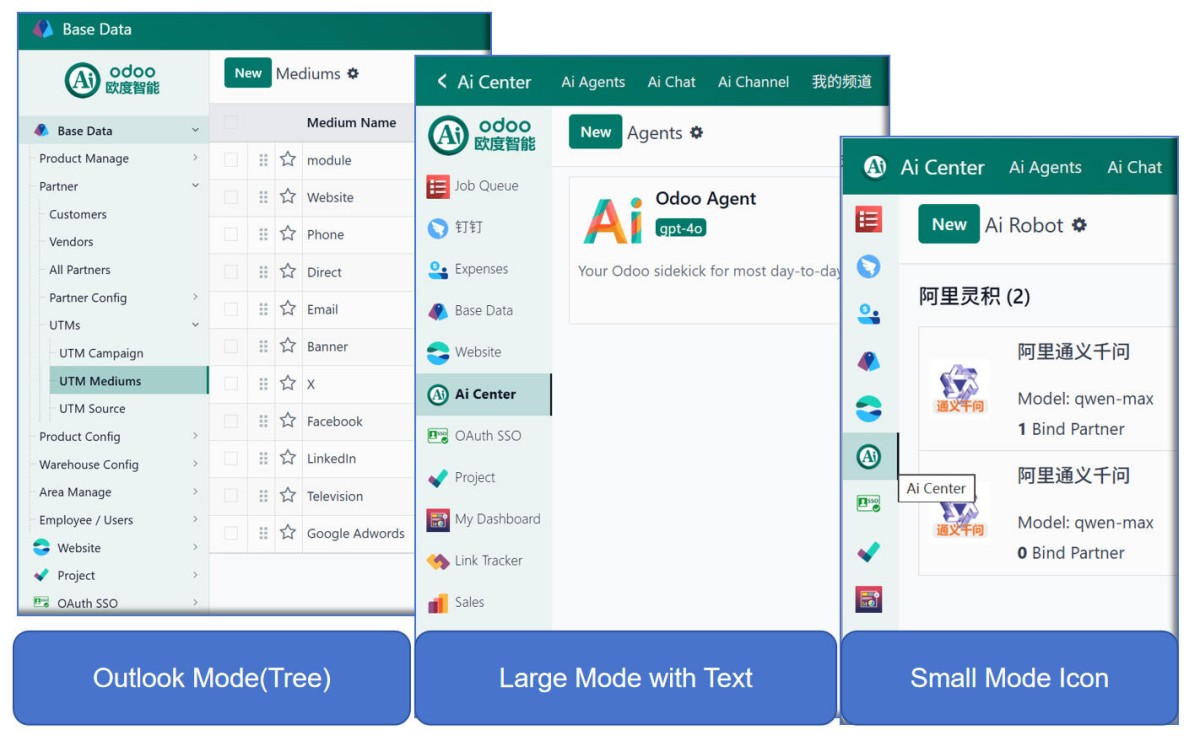
大模式显示完整图标和名称,小模式仅显示图标,Outlook手风琴模式支持多级折叠菜单,隐藏模式完全隐藏侧边栏。
2. Outlook手风琴多级菜单 / Outlook Accordion Multi-level Menu
Up to 5 levels, only one group expanded
Outlook模式支持手风琴式折叠菜单,最多5级深度,同一时间只展开一个分组,结构清晰不杂乱。
3. 拖拽调整宽度 / Drag-to-Resize Width
Cookie persistent width settings
AppsBar和OutlookBar均支持拖拽调整侧边栏宽度,宽度设置通过Cookie持久化保存,下次打开自动恢复。
4. 用户个性化设置 / Per-User Customization
Each user sets own preference
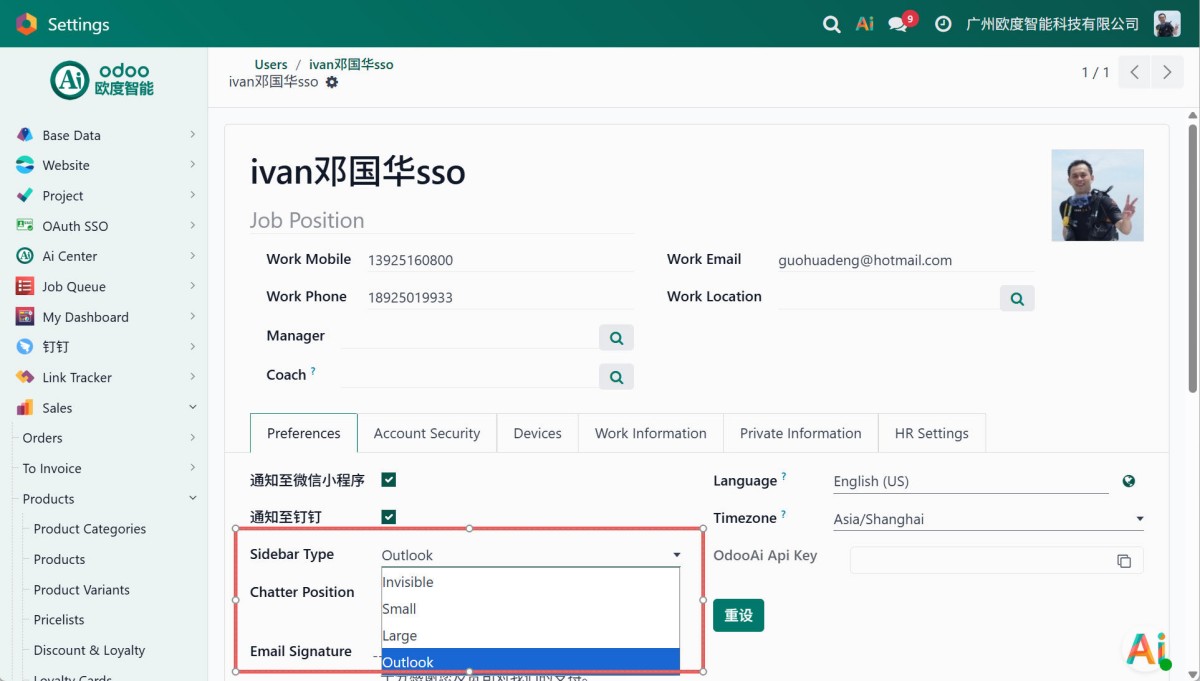
每位用户可在个人偏好设置中独立配置侧边栏显示模式,互不影响,满足不同使用习惯。
5. 公司Logo展示 / Company Logo Display
Admin configurable via Settings
管理员可在系统设置中配置公司图片,显示在侧边栏底部,增强品牌识别。
6. 自动展开当前菜单 / Auto-expand Current Path
Highlights active menu item
Outlook模式自动展开当前菜单路径,高亮当前激活菜单项,无需手动查找定位。
通用特性 / General Features
多语言与多公司
Multi-Language & Multi-Company
完整的多语言翻译支持,适配全球化企业部署。原生多公司架构,数据严格隔离。
全版本兼容
Full Version Support
支持 Odoo 18, 17, 16, 15, 14, 13, 12,EE/CE/.SH,兼容企业版、社区版及在线 SaaS。
代码完全开源
Full Open Source
基于 LGPL-3 协议开源,代码透明可审计,支持二次开发与定制。
界面截图 / Screenshots
核心功能界面一览
侧边栏总览 / Sidebar Overview
用户偏好设置 / User Preferences Settings
使用流程 / How It Works
安装模块
Install Module
配置显示模式
Configure Display Mode
设置公司Logo
Set Company Logo
开始导航
Start Navigating
支持与依赖模块 / Supported & Dependent Modules
- Odoo UI定制基础 / app_odoo_customize
odooai.cn
专业Odoo服务伙伴-开发实施咨询培训全套解决方案 / Professional Odoo Solutions

Specifications
| 版本 | 19.0, 18.0 |